6.2.1. ViewModel Families
6.2.1.1. When To Use It
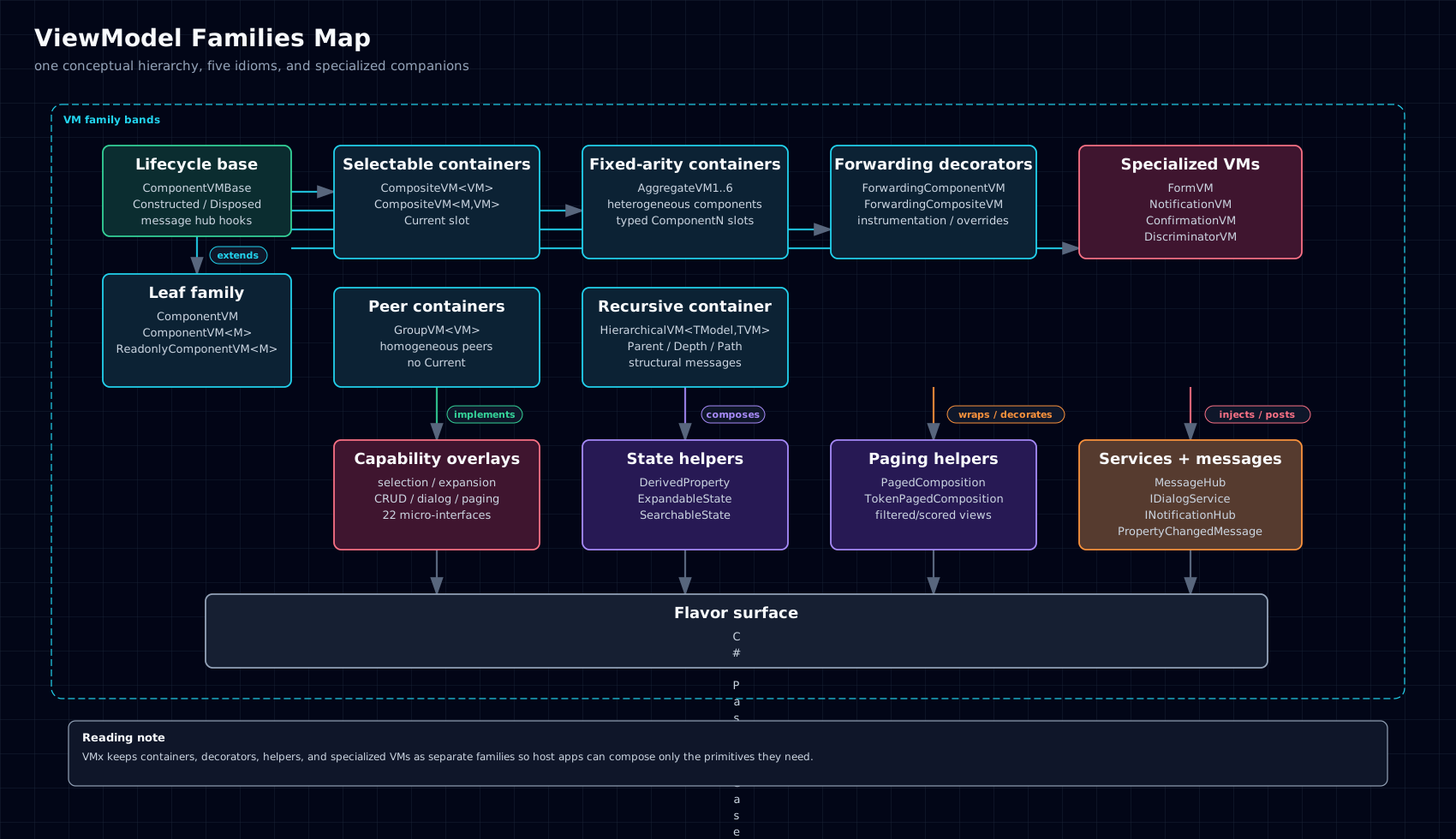
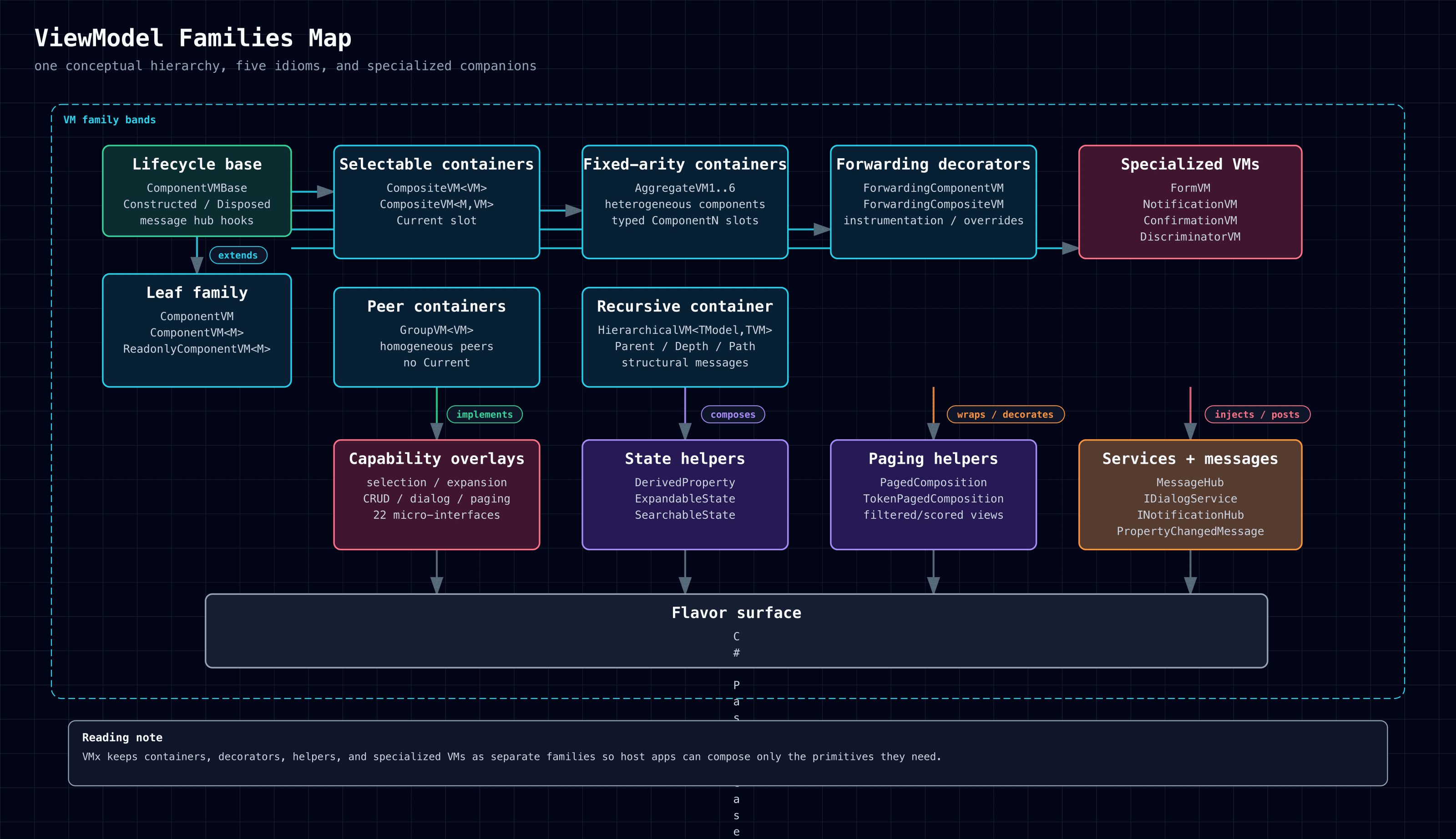
The core VM hierarchy stays intentionally small. Most design choices reduce to one question: what kind of ownership and navigation relationship does this VM have with its children, if any?
Use this page when you have decided the problem is fundamentally about VM shape and need to choose the right family before dropping to a specific primitive page.
6.2.1.2. Shape And Ownership
The family map is the quickest ownership comparison:
| Family | Best fit | Owns children | Owns selection | Child shape |
|---|---|---|---|---|
| Component | Addressable leaf | No | Through parent only | None |
| Composite | Ordered selectable collection | Yes | Yes (Current) |
Homogeneous |
| Group | Ordered peer collection | Yes | No | Homogeneous |
| Aggregate | Fixed dashboard/workspace shell | Yes | No | Heterogeneous, fixed arity |
| Hierarchical | Recursive tree | Yes | Consumer-defined | Recursive homogeneous |
| Forwarding & Wrapper | Instrumentation or selective override | Wraps inner VM | Inherited | Same as wrapped VM |
6.2.1.3. Lifecycle And Messaging
- Use the smallest primitive that matches the ownership model.
- Prefer composition over subclassing; the shipped VM types are designed to be composed, not turned into inheritance trees.
- Reach for specialized helpers only when the workflow itself is the primitive, not just a property on a leaf or container.
At the family-selection level, the key lifecycle question is which VM owns children directly and therefore owns their construction, destruction, and property-change propagation. The linked family pages cover those rules in detail.
Every family that exposes disposal follows one shared at-most-once rule; parent cascades remain depth-first. See the Disposal Contract.
6.2.1.4. Cross-Language Surface
The conceptual family map is shared across all five source flavors. The main cross-language differences are the usual casing rules and the modeled-type spellings called out on each concrete page.
This index intentionally stays above the API level: it points you to the right family first and leaves method and builder details to the leaf pages.
6.2.1.5. Example
A practical decision path for common cases:
- choose Component for a leaf that owns one model or one view concern
- choose Composite when you need an ordered collection with a current child
- choose Aggregate when the parent owns a fixed set of heterogeneous child roles
- choose Hierarchical when the VM tree is recursive
The flagship Notes Workspace portfolio exercises most of the family map, but the notebooks tree is intentionally a flat adapter in every flavor today:
- flat
ComponentVM-based notebooks adapters (NotebooksRootVMplusNotebookVM) that exposeRoots/ChildrenOf/Walkor idiomatic equivalents and publishTreeStructureChangedMessage, rather than directHierarchicalVMsubclasses CompositeVMfor the notes list and tab-like current selectionAggregateVM6for the workspace shellComponentVMleaves for notebooks, notes, status, and capability actionsFormVM,DiscriminatorVM, andNotificationVMin the editor and notifications flows
Use HierarchicalVM when the recursive VM tree is itself the right model. Use
the Notes Workspace READMEs and parity tables when you want the current
flat-adapter example shape.
6.2.1.6. Common Pitfalls
- Choosing a larger container primitive before checking whether a leaf or simpler list shape already fits.
- Treating wrapper or specialized primitives as replacements for the core ownership families.
- Reading the Notes Workspace examples as the only allowed shape rather than one worked example portfolio.