5.2.6. Blender MCP
1. Overview
Blender MCP is a disabled-by-default host integration for MCP-assisted 3D scene work. It never runs as a container. There are two host sources:
localhost: you run the Blender GUI, install the add-on and click Connect. Atlas only records the endpoint.managed-localhost: Atlas installs the pinned add-on and runs headlessblender --backgroundas a managed host process. Its lifecycle commands follow the same pattern as ComfyUI MPS.
This integration is intentionally conservative. Current Blender MCP workflows depend on a local Blender add-on, an MCP client/server process, and a socket opened by Blender. They can execute generated Python code inside Blender, so Atlas keeps the bridge disabled by default and does not publish it through Kong.
2. Access
| Surface | URL or command | Notes |
|---|---|---|
| Atlas SOURCE | BLENDER_MCP_SOURCE=disabled |
Default. No Blender MCP bridge is active. |
| Host Blender MCP | BLENDER_MCP_SOURCE=localhost |
Development-only source. Requires host-installed Blender, Blender MCP add-on, and MCP server/client configuration — all user-run (GUI + Connect click). |
| Managed headless | BLENDER_MCP_SOURCE=managed-localhost |
Atlas installs the pinned add-on (sha256-verified), then starts and health-checks headless blender --background. A warm start runs a read-only check first: if the bridge would not start, the running containers stay up. A change to BLENDER_MCP_LOCALHOST_PORT or BLENDER_MCP_BIND restarts an Atlas-owned bridge at the next start. Requires a host Blender install (BLENDER_MCP_BLENDER_PATH overrides detection). Lifecycle: ./start.sh blender-mcp preflight\|install\|start\|stop\|status\|health\|remove. |
| Blender socket | ${BLENDER_MCP_HOST}:${BLENDER_MCP_LOCALHOST_PORT} |
Defaults to localhost:9876, matching common Blender MCP socket defaults. |
| Kong | No Kong route | There is no blender-mcp.localhost route and no blender.localhost route by design. |
Select a Blender MCP host source with:
./start.sh --blender-mcp-source localhost           # user-run GUI add-on
./start.sh --blender-mcp-source managed-localhost   # Atlas-managed headless
Both host sources are development-only: --profile prod hides and rejects them.
3. Configuration
| Variable | Default | Purpose |
|---|---|---|
BLENDER_MCP_SOURCE |
disabled |
Enables the host-only Blender MCP profile when set to localhost (user-run GUI) or managed-localhost (Atlas-managed headless). |
BLENDER_MCP_HOST |
localhost |
Hostname written into the BLENDER_MCP_ENDPOINT hint for MCP clients. It does not change where the socket binds. |
BLENDER_MCP_LOCALHOST_PORT |
9876 |
Host-tool socket port. This is not allocated from Atlas topology because Atlas does not own the Blender process. |
BLENDER_MCP_ENDPOINT |
generated | Runtime endpoint hint for MCP-client integrations (tcp://…). Empty when disabled. For both host sources, ./start.sh endpoints export also emits ATLAS_BLENDER_MCP_HOST_ENDPOINT=tcp://localhost:<BLENDER_MCP_LOCALHOST_PORT>; that value always uses localhost. |
BLENDER_MCP_STATE_DIR |
~/.atlas/blender-mcp |
Managed-source state: pinned add-on, generated headless launcher, pid/log. |
BLENDER_MCP_INSTANCES |
1 |
Managed pool size, 1 to 16 (consumer manifest blender_mcp.instances). See the pool note below this table. |
BLENDER_MCP_BIND |
127.0.0.1 |
Managed bridge bind. execute_code runs arbitrary Python in Blender, so any non-loopback value is refused unless BLENDER_MCP_ALLOW_REMOTE=true. The bridge has no authentication. On Docker Desktop, loopback does not keep stack containers out: they reach it through host.docker.internal. Any container that runs user code (JupyterHub, n8n Code nodes, Open WebUI tools) can then run Python on the host. Linux Docker Engine maps that name to the bridge gateway instead (untested by Atlas). |
BLENDER_MCP_ALLOW_REMOTE |
false |
Second opt-in required before BLENDER_MCP_BIND can be non-loopback. Leave false unless you own the network boundary. |
BLENDER_MCP_BLENDER_PATH |
auto-detect | Explicit Blender binary. Atlas manages the MCP bridge, not the Blender application — install Blender yourself (preflight fails with guidance otherwise). |
BLENDER_MCP_ADDON_REF / _SHA256 |
pinned | The exact upstream ahujasid/blender-mcp addon.py the managed source provisions; a sha mismatch refuses installation. Move both together. |
BLENDER_MCP_ADDON_FILE |
empty | Escape hatch: a local add-on file instead of the pinned download (no sha verification; preflight warns). |
Managed pool (BLENDER_MCP_INSTANCES). Instance i uses port BLENDER_MCP_LOCALHOST_PORT + i and directory <state dir>/instances/i; instance 0 uses the state dir itself. All instances reuse instance 0's sha-verified add-on and share one launch lock. A warm start preflights every instance; a busy port or a port above 65535 stops the launch.
status/health report each instance; stop/remove act on all. With more than one instance, ./start.sh endpoints export adds ATLAS_BLENDER_MCP_HOST_ENDPOINTS. A port or bind change restarts the whole pool. Instances above the pool size stop at the next start. ./start.sh doctor warns about an invalid BLENDER_MCP_INSTANCES and an instance running above the pool size. It also warns about a pool pid file whose process is gone or unverifiable.
4. Architecture & Wiring
Atlas models Blender MCP as a virtual media service:
- Track membership:
gen-ai-creativeandall. - Service category:
media. - Source values:
disabled, dev-onlylocalhost, and Atlas-managed headlessmanaged-localhost. - Wizard placement: the creative track prompt appears as “Blender MCP”.
- Port strategy:
BLENDER_MCP_LOCALHOST_PORTis a host-tool override and does not consume an Atlas topology slot. - Kong behavior: no alias, no route, no extra host entry, and no gateway proxy by default.
- Direct access: configure the host MCP client/server according to the Blender MCP implementation you choose, then point it at
${BLENDER_MCP_HOST}:${BLENDER_MCP_LOCALHOST_PORT}. - Downstream consumers: none. No Atlas service calls the bridge.
- Init companion: none for
localhost. Formanaged-localhost, Atlas provisions the add-on + launcher (not Blender itself, notuvx, not client config) intoBLENDER_MCP_STATE_DIR. - Headless mechanism (
managed-localhost, verified live on Blender 4.3.2): the stock add-on runs commands on Blender's main thread viabpy.app.timers.register. Those timers fire only when the GUI event loop pumps them, so upstream guards against--background. Atlas's generated launcher shims timer registration into a queue drained by its own main-thread loop: same main-thread execution contract, no GUI, no add-on patching. Caveat:get_viewport_screenshothas no viewport headless and will error; scene/object/code commands work fully. - Volumes and secrets: none by default. Asset-provider credentials such as Sketchfab, Poly Haven, Hyper3D, or Hunyuan-style keys remain host-side user configuration until Atlas adopts a dedicated integration.
5. Dependencies & Integrations
5.1. Current — Upstream (this service calls)
No upstream calls.
5.2. Current — Downstream (services that call this)
No downstream consumers.
5.3. Architecture diagram
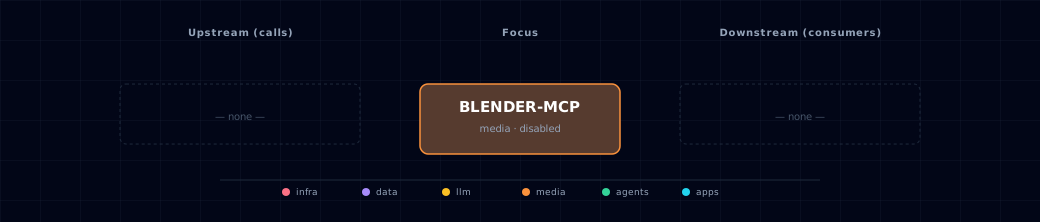
Open the full-size diagram for a full-screen view.
5.4. Future — Missing pair integrations
- Optional MCP-client registration for Open WebUI or Hermes once Atlas has a policy for host-side code-execution tools.
- Optional asset export path from ComfyUI-generated concepts to Blender scene construction, with explicit human approval before code execution.
5.5. Future — Candidate new services
- A drivable, in-network
containersource (headed-but-virtual Blender via Xvfb/EGL) for the agentic composition stage — under evaluation, gated behind a validation spike and go/no-go thresholds. See the container-source evaluation. Until that spike passes, this service stayslocalhost | managed-localhost | disabled. - Asset validation queue that runs glTF-Transform checks on generated GLB files before publication.
5.6. Future — Unused features in this service
- Remote Blender MCP access is intentionally out of scope for this profile.
- Asset-provider credentials are not projected into Atlas services yet.
6. Security & Guardrails
- Treat Blender MCP as a code-execution bridge. Current workflows can execute generated Python code inside Blender, which may read, modify, delete, or exfiltrate local data accessible to that Blender process.
- Use a separate OS account, VM, or machine without sensitive files for experiments.
- Keep
BLENDER_MCP_SOURCE=disabledunless you are actively using a trusted local Blender session. - Do not expose the Blender MCP socket on public interfaces. For
managed-localhost, keepBLENDER_MCP_BIND=127.0.0.1andBLENDER_MCP_ALLOW_REMOTE=false. For the user-runlocalhostsource, the Blender add-on sets the bind; keep it on loopback.BLENDER_MCP_HOSTsets only the endpoint hint, not the bind address. - Do not add a Kong route without a separate design review covering auth, network reachability, tool approval, and prompt-injection behavior.
- Do not paste Atlas database, cloud-provider, Supabase, MinIO, or GitHub credentials into host MCP client configuration for this bridge.
7. glTF-Transform Asset Postprocess
Atlas includes a helper for inspecting and optimizing GLB assets without adding a long-running service:
scripts/gltf-transform-postprocess.sh input.glb output.glb
Run it from the repository root with paths relative to it; absolute paths are rejected. It requires Docker. The script runs @gltf-transform/cli, at the version locked in services/asset-worker/app/package-lock.json, in a temporary Node container. It performs:
gltf-transform inspectgltf-transform validategltf-transform optimize --compress meshopt --texture-compress webp
Use this as a postprocess step for exported Blender assets, ComfyUI-assisted 3D experiments, or future creative-3D pipelines. Inspect the output visually before treating it as production-ready; optimization can change geometry, textures, and extension usage.
8. Troubleshooting
- If the Blender MCP prompt is missing, confirm you selected the
gen-ai-creativeoralltrack, or pass--blender-mcp-source localhostexplicitly. - If
--profile prodrejects the source, that is expected: both Blender MCP host sources are development-only. - If a client cannot connect, confirm the Blender add-on is installed, enabled, and listening on
${BLENDER_MCP_HOST}:${BLENDER_MCP_LOCALHOST_PORT}. - If
uvxis not found by a GUI MCP client, configure the absolute path touvxor the installed Blender MCP command in that client. - If
scripts/gltf-transform-postprocess.shfails before optimization, inspect the validation output first; invalid GLB input should be fixed at the source. - If the managed source warns that its pid file "has no start_utc identity stamp", an older Atlas version wrote it. Atlas does not signal a process it cannot prove it launched. It leaves that Blender running and starts the rest of the stack. Confirm the pid is that Blender. Then run the
kill -TERM <pid>andrm -f <pid file>commands from the warning, and re-run./start.sh. - If
./start.sh doctorwarns that the pid file names a pid that "now belongs to a different, younger process", the OS recycled the pid. The record is stale; the next start replaces it and never signals that process.
9. Capabilities & limitations
Support tier: experimental — Capability contract declared; no cited cold-start, workflow, or upgrade qualification run yet (evidence at v0.1.0).
| Capability | Status | Verification | Notes |
|---|---|---|---|
| Host-only Blender MCP bridge | supported | documented | Atlas configures user-run GUI and managed headless host sources; it does not run Blender in a container. |
| Managed headless scene control | partial | tested | Scene inspection and generated-code commands work through the managed bridge, but GUI-dependent operations are unavailable. |
| Managed-bridge loopback guard for arbitrary Python execution | partial | tested | Atlas refuses non-loopback binds for managed-localhost without an explicit override; the user-run localhost GUI source remains operator-controlled. |
| Viewport screenshots in managed headless mode | not-supported | documented | Headless Blender has no VIEW_3D context, so use the user-run GUI source when viewport screenshots are required. |