5.2.53. Tempo
1. Overview
Tempo is Atlas' Grafana-native trace store, disabled by default. It uses local filesystem storage and has no Kong route.
Tempo has no built-in authentication layer, so Atlas keeps it internal-only and expects operators to inspect traces through Grafana.
2. Access
- SOURCE:
TEMPO_SOURCE=disabledby default. - Internal endpoint:
http://tempo:3200. - Direct host URL: none.
- Kong URL: none; no Kong route is generated.
- Grafana surface: the
Tempodatasource is provisioned when Grafana starts.
3. Configuration
The service reads ./config/tempo.yaml, mounted to /etc/tempo/tempo.yaml. Atlas computes TEMPO_ENDPOINT from TEMPO_SOURCE. TEMPO_RETENTION_PERIOD sets trace retention (default 336h, Tempo's own 14-day default). Tempo 3 reads retention in its backend scheduler and its backend worker. The config sets both from this variable.
The image is distroless (no shell, no wget). The health check runs the binary's own /tempo -health, which probes /ready and exits nonzero until Tempo is ready. The Collector waits for this check to pass.
4. Architecture & Wiring
The OpenTelemetry Collector forwards traces to Tempo over OTLP HTTP. Grafana queries Tempo for trace exploration. This is a local development service, not a high-availability tracing deployment.
5. Dependencies & Integrations
5.1. Current — Upstream (this service calls)
No upstream calls.
5.2. Current — Downstream (services that call this)
| Service | Category |
|---|---|
| grafana | infra |
| otel-collector | infra |
5.3. Architecture diagram
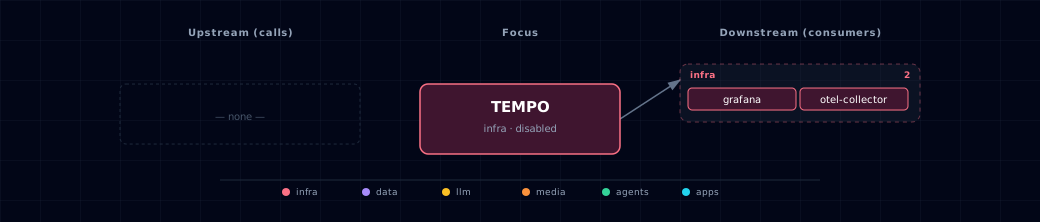
Open the full-size diagram for a full-screen view.
5.4. Future — Missing pair integrations
No high-confidence opportunities identified.
5.5. Future — Candidate new services
No high-confidence opportunities identified.
5.6. Future — Unused features in this service
No high-confidence opportunities identified.
6. Troubleshooting
- If
./start.shstops with "OTel Collector requires Tempo", setTEMPO_SOURCE=container(or--tempo-source container), or disable the Collector. - If Grafana cannot query traces, confirm
TEMPO_ENDPOINT=http://tempo:3200in the Grafana container environment. - Roll back by setting
TEMPO_SOURCE=disabledandOTEL_COLLECTOR_SOURCE=disabled.
7. Capabilities & limitations
Support tier: experimental — Capability contract declared; no cited cold-start, workflow, or upgrade qualification run yet (evidence at v0.1.0).
| Capability | Status | Verification | Notes |
|---|---|---|---|
| Local distributed trace storage | supported | tested | Atlas configures a filesystem-backed Tempo service receiving internal OTLP traces from the OpenTelemetry Collector and exposes it to Grafana. |
| Authenticated public trace ingestion | not-supported | tested | Tempo has no host port, Kong route, or authentication layer in the stock topology; ingestion is restricted to the backend network. |
| Highly available trace retention | not-supported | documented | The bundled single replica uses local filesystem storage and does not provide replicated object storage or production high availability. |